Volume
You can change the playback volume using the circular volume knob, for each track individually.
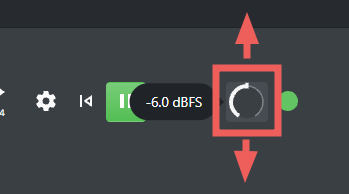 Tap and drag the circular volume knob to change the volume on touch screens
- on touch screens you can tap and vertically drag the button to increase or decrease the volume.
- using a mouse you can hover over the knob and use the mouse wheel to increase or decrease the volume
- with the keyboard, hit the + or - to change the volume